Folks
All units from the second batch have been sent today.

Here’s the distribution leader board:

Howard
Folks
All units from the second batch have been sent today.
Here’s the distribution leader board:
Howard
Not very exciting, but it gives you a taster of the tedium of building these!
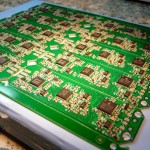
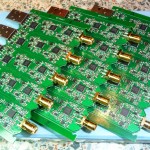
That’s 10,000 manually placed parts in total, almost all under the microscope. As you can see it’s rather time consuming – it takes a full day to do ten. At 13:15 is the reflow oven, and the solder melts around 13:45-13:55.(Background audio track is what was on the TV at the time, starts off with Dr Who).
Howard
Now available over in the Downloads area!
This has the following changes:
o Set sensible gain and filter defaults at plug in time (does the same as the “Defaults” button).
o Initialises the tuner and codec _after_ USB enumeration to keep within USB current draw specs.
o Implements different (hopefully better) VHF filtering.
o Implements command 101 – SetFrequencyHz with more granularity using a 32 bit unsigned with the frequency specified in Hz rather than kHz. Also returns actual frequency set.
o Removed sigma delta software imposed limitation on the fractional-N PLL. Need to see what effects this has.
o Recoded the vendor supplied PLL and filter setting code to use constant tables rather than a ton of if/then/else statements.
o Recoded PLL calculation code to use floating point.
Howard
Folks
I’ll have a new batch available on Sunday 2 January 2011. Check out here for more details.
Many thanks, Howard
I’ve had some questions about the FCD and spikes on the passband.
Out of the box, like all zero IF direct conversion analogue mixer SDRs, incuding the FCD and the Softrock, there are two tweaks that immediately come to mind. Firstly there’s the DC offset which you’ll find in the middle of the SDR’s passband, and secondly there’s the image rejection. By adjusting these settings, you can null out the DC offset and image signals.
The pictures shown here are deliberately shown without any DC or image corrections so that you can compare your own unit. The precise amount of DC offset and image rejection will vary from unit to unit, and is also frequency and gain specific.
Below you’ll see marker 1 on the right as the main signal, in the middle is the DC offset marker 2, and marker 3 on the left is the signal image. Ignore the fourth marker!
Using Spectravue the DC offset and image rejection are corrected in the SoundCard In Setup menu item, but it’ll vary depending on the SDR software you’re using.

It is highly recommended that you use the “Defaults” button in the FCD Controller app each time the FCD’s plugged in: this sets the FCD’s gains and filters to sensible values.

When you have strong signals in the receiver’s pass band you will see the noise floor rise. This can be alleviated to some degree by reducing the mixer gain. This increases the dynamic range from 80dB to 90+dB at the expense of some sensitivity as you can see in the picture below. This shows a strong signal on the input. The rasied noise around the signal is as a result of the FCD’s LO phase noise. To the left hand side, we still have about a -103dB noise floor, with a -11dB input signal.

At this point we are now close to the physical abilities of the FCD. Firstly the LNA is close to saturation and secondly, we are very close to the ADC’s dynamic range.
One further point: the FCD is primarily designed to be sensitive enough to receive satellites directly. However it is also an exceptionally wideband receiver, and although there is fixed and programmable front end filtering, you may also find that if you are in a high RF environment, and particularly at VHF, a low loss band pass filter will help if you find the noise floor rises when you plug in your antenna. Typically, quality masthead preamps often have these installed anyway.
Howard
Folks,
The units we’ve built so far for the first production batch are working perfectly, and also we’re now consistently hitting 100% yield without any defect rework – very satisfying!
As we’re having to hand make this first batch, and units will be released in smaller batches, it’s currently limited to one device per purchase.
Ordering will start on 19 Dec 2010 12:00UTC and you can order yours by following this link.
I have set it up so that is says “Sold out” if we’re out of units and it won’t let you purchase. The alternative is to accept payments anyway and then back fill the orders, however although Paypal knows the inventory is empty, it does not inform the buyer of this directly of this prior to taking funds. I’ll look into seeing if there’s a way to automatically inform that we’re out of stock before committing to purchase.
The process and timing of building ten boards is this:
o Paste up boards – 20 mins
o Place the the three QFNs – 45 mins
o Place the other active devices – 45 mins
o Place the passive devices – 6 hours
o Oven – 5 mins
o Visual inspection – 30 mins
o Place the crystal and RF ESD diode (underside) – 1 hour
o Place the SMA connector – 30 mins
o Place the USB connector – 30 mins
o Program and initial test with the bootloader – 10 mins
o Program firmware – 5 mins
o RF test – 15 mins
o HPF rework – 45 mins
o Post HPF RF test – 15 mins
o Drill SMA hole in enclosures – 5 mins
o Label – 30 mins
Total for ten boards (without defects): 12 hours 30 minutes.
Defect rework per board can be anywhere from 1 minute for a missing part (discovered during visual inspection) to a couple of hours if I need to get the in circuit debugger out, so taking care to get 100% yield is important!
Howard
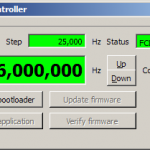
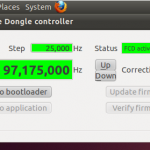
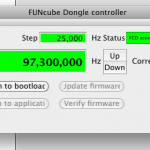
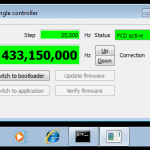
Some examples so far… Windows XP, Vista, 7, Ubuntu 10.10, Mac OS X 10.6…
In the end it was Qt that won the day for the cross platform development.


Every astronaut should have one. Nice Blue Peter badge there, Richard.
Amsat UK representatives were privileged to spend this evening at a unique event with three Britsh born astronauts Helen Sharman, Piers Sellers and Richard Garriott as well as Colin Pillinger (of Beagle 2 fame) and Reg Turnill (BBC’s legendery space correspondent).
Howard
It might look ugly now, but I now have the frequency setting working on Mac OS X. I am using the excellent cross platform USB HID library here: http://www.signal11.us/oss/hidapi/
Unusually for cross platform system libraries, it’s actually easier to use than natively trying to hack the API directly.
One slight “feature” was that there’s a 64 bit incompatibility in the library in the get_long_property function where it assumes the C “long” datatype is 32 bits which I fixed.